Guide
What Pages Should a Small Business Website Have?
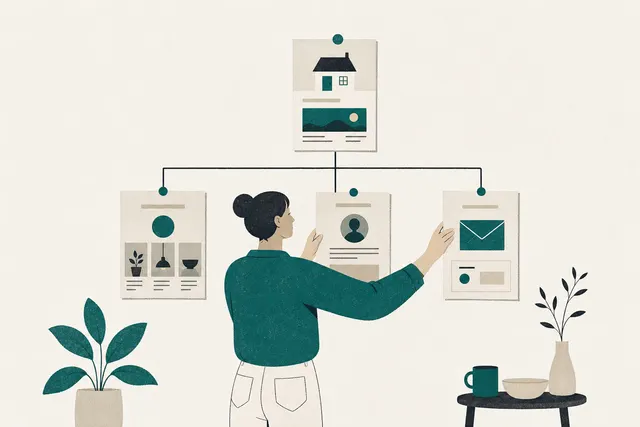
Most small business websites need a Home page, a page for each main service, an About page, a Contact page and a privacy policy. The service pages do the most work on Google.
Already have a site? Run our free website audit for a score on speed, Google and design.
How we worked this out
This list comes from the sites we build and the questions customers ask before they call. Where an official source has a rule (Google on location pages, business.gov.au on privacy policies), we've quoted it and linked it at the bottom, read on 21 October 2026. Your business may need more pages than this. Very few need fewer.
The pages, and what goes on each
| Page | What goes on it | Do you need it? |
|---|---|---|
| Home | What you do, where, and how to get in touch, all visible without scrolling. Then your services, proof and a call to action | Yes |
| Service pages | One page per main service: what it includes, who it suits, rough price or how you quote, photos of that work | Yes, the most important for Google |
| About | Who runs the business, how long you've been going, where you work, licences or memberships | Yes |
| Contact | Phone, email, a short form, your service area or address, hours, what happens after they enquire | Yes |
| Privacy policy | What personal information you collect through the site, why, and how you look after it | Yes if you collect details through a form |
| Reviews | Real customer reviews, word for word, with a first name | Strongly recommended, or put them on other pages |
| Gallery or past work | Photos of real jobs, with a line on each saying what and where | For trades, builders and anything visual |
| FAQ | The questions customers ask on the phone, answered in two or three sentences | Recommended |
| Location pages | One page per area you serve, with work, details and reviews from that area | Only with real content for each area |
| Pricing | Your prices, or from-prices and what changes them | Optional, but it saves calls |
| Blog or guides | Articles answering questions customers search for | Optional |
Why service pages matter most
Google ranks pages, not websites. A page called "Bathroom renovations in Ballarat" that describes your bathroom work, shows photos of it and mentions your prices can rank for that search. A single Services page listing bathrooms, kitchens, decks and fencing gives Google one page trying to answer four different searches, and it usually loses all four to businesses with a page for each. If you only add one thing to a small site, add a page for each service you want more of.
Location pages: useful, or a risk
Location pages help when you genuinely work in an area and have something specific to say about it: jobs you've done there, reviews from local customers, how far you travel. They hurt when they're the same page with the suburb name swapped. Google's spam policies list "multiple domain names or pages targeted at specific regions or cities that funnel users to one page" as doorway abuse. Start with the three or four areas you get the most work from, and write each page properly.
What every page needs, whatever it is
Five things that belong on every page, not just Home:
- Your phone number or a contact button, visible without scrolling on a phone.
- A heading that says what the page is about, in the words a customer would search.
- Your business name, address or service area and phone number in the footer, written the same way as on your Google Business Profile.
- Something specific: a price, a timeframe, a suburb, a photo of real work. Google's own guidance on helpful content says trust is the most important part, built through clear sourcing and evidence of expertise.
- A clear next step at the end: call, book, or get a quote.
Do you need a privacy policy?
Business.gov.au says a business with an annual turnover over A$3 million must comply with the Privacy Act, and some smaller businesses must too, such as private health service providers. It also says it's a good idea to publish your privacy policy on your website. If your site has a contact form, it collects names and phone numbers, so a short plain-English privacy page is worth having. If you sell online, add terms covering refunds and delivery as well.
Pages you can leave out for now
These are common on templates and rarely needed at launch:
- A blog you won't keep up. Three posts from 2023 tell visitors the business might be quiet. Start one when you have a list of questions to answer.
- Separate Mission, Values and Team pages. One good About page does the job for most small businesses.
- A News page. Put updates on your Business Profile and social accounts instead.
- Empty location pages. Wait until you have work and reviews to put on each one.
Sources
- Google Search Central: Spam policies (doorway abuse)https://developers.google.com/search/docs/essentials/spam-policies
Read 21 October 2026.
- Google Search Central: Creating helpful, reliable, people-first contenthttps://developers.google.com/search/docs/fundamentals/creating-helpful-content
- business.gov.au: Protect your customers' informationhttps://business.gov.au/online-and-digital/cyber-security/protect-your-customers-information
The A$3 million turnover threshold and privacy policy advice.
Where to next
- Step 03 of The Climb: speaking your city's language
How to put your area on the pages you already have.
- How much does a small business website cost in Australia?
What five pages cost to build, from published Australian prices.
See the pages we build for real businesses
Look through sites we've built for Australian businesses, from a florist to a caravan maker, then see what fits. Starter is from A$1,000 + GST for up to five custom pages, and Growth adds service and suburb pages for local SEO.
Common Questions
Some of the sites we've built
All projects


