Guide
Why Is a Google Business Profile Important for a Local Business?
5 min read
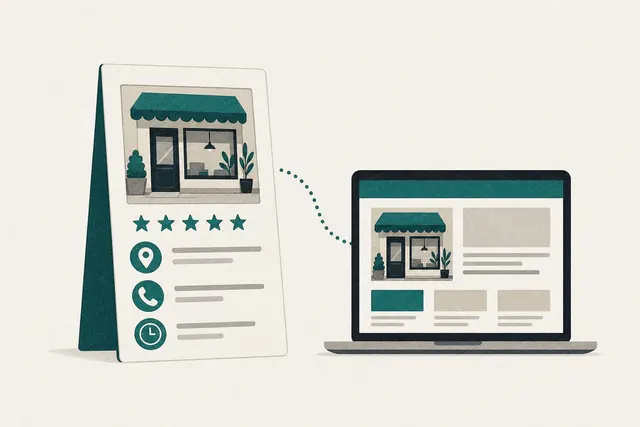
A Google Business Profile is what puts your business in Google Maps and the map results, with your phone number, reviews and directions one tap away. It's free, and without one the map shows your competitors instead.
Already have a site? Run our free website audit for a score on speed, Google and design.
Where this comes from
The figures and rules below come from Google's Business Profile help pages, read on 21 October 2026. Google publishes the 70%, 50% and 2.7 times figures without naming the study behind them, so read them as Google's own claim, not independent research. Where we give our own view from building sites for local businesses, we say so.
What a profile puts in front of a customer
Search for a plumber, a florist or a caravan dealer near you and the first block on the page is usually a map with three businesses under it. Each one is a Business Profile. From that one box, a customer can:
- Call you. The phone number is a button. On a phone, that's one tap from the search.
- Get directions. The map pin and the route, if you serve customers at your address.
- Check you're open. Hours, including public holiday hours if you've set them.
- Read your reviews. Your star rating and what customers wrote, plus your replies.
- See your work. Photos of jobs, products, your shopfront or your team.
- Visit your website. The profile links to it, so the profile and the site send customers to each other.
What Google says about complete profiles
| Google says | What it means for you |
|---|---|
| Customers are 70% more likely to visit a business with a complete profile | Fill in every field that applies: hours, services, photos, description |
| Customers are 50% more likely to consider buying from a business with a complete profile | A half-done profile loses customers who were already looking |
| Customers are 2.7 times more likely to consider a business reputable if they find a complete profile | Reviews, photos and replies do the job a shopfront used to |
| Businesses with complete and accurate info are more likely to show up in local search results | Completeness helps you appear at all, not just look better once you do |
| Verification tells Google you represent the business, so it is more likely to show up | An unverified profile is easy to overlook and easy for someone else to edit |
What you miss without one
Without a profile, your business can't appear in the map results for "near me" searches, however good your website is. Those results often sit above the ordinary links on a local search, so the businesses shown there get the first look. A customer who searches your trade and your suburb sees your competitors' phone numbers, reviews and photos, and calls one of them. A profile costs nothing but an afternoon to set up, which makes it the cheapest marketing a local business has.
You don't need a shopfront
Plumbers, electricians, cleaners, mobile mechanics and anyone else who travels to the customer can still have a profile. Google calls this a service-area business. If you don't serve customers at your address, Google says to remove the address from your profile and set the areas you cover instead. You can set up to 20 service areas by suburb or postcode, and Google's tip is to keep the whole area within about two hours' drive of your base.
How the profile and your website work together
Google ranks map results on three things: relevance (how well your profile matches the search), distance (how far you are from the person searching) and prominence (how well known you are, including reviews and links). Your website feeds two of them. A site with a page for each service tells Google what you do, and links and mentions from other sites build prominence. In our experience the profile gets the call and the website wins the customers who want to compare first. Each works better when the other is there, and both should give the same name, phone number and suburbs.
Keeping it working after setup
A profile isn't set and forget. These are the things that keep it showing up:
- Ask every happy customer for a review. Google gives you a review link to send. Steady new reviews beat a burst every two years.
- Reply to every review. Google says replies show you value feedback, and future customers read them.
- Add photos as you finish jobs. Real work beats stock images, and it shows the profile is current.
- Keep hours right. Set public holiday hours ahead of time so nobody drives to a closed door.
- Check it monthly. Anyone can suggest edits to a profile, so make sure your details are still yours.
Sources
- Google Business Profile Help: Complete your Business Profile on Googlehttps://support.google.com/business/answer/10515606
The 70%, 50% and 2.7 times figures, and what a complete profile includes. Read 21 October 2026.
- Google Business Profile Help: Tips to improve your local ranking on Googlehttps://support.google.com/business/answer/7091
Relevance, distance and prominence; complete info; verification; reviews and replies.
- Google Business Profile Help: Manage your service areahttps://support.google.com/business/answer/9157481
Removing your address, up to 20 service areas, the two-hour driving tip.
Where to next
- Set up your profile step by step
The Climb step that walks through it field by field.
- Do suburb pages help local SEO?
The website side of being found in your area.
A website that backs up your profile
Our Growth package includes local SEO: a page for each service, suburb pages with real substance, and local business markup that matches your profile. Local results usually take months, not weeks, so it's worth starting now. We'll design your homepage free before you pay anything.
Common Questions
Some of the sites we've built
All projects


